
Need help?
Contact Us

Menu
Categories
- Accessories
- Clothing and Hats
- Education Supplies
- Home & Office Supplies
- Home and Living
- Office Electronics
- Office Furniture
- Office Products
- School Supplies
- Uncategorized
Best Standing Desks for Home Offices in 2025: Top Picks & Buyer Guide

Lambock Team
Tag cloud
AI Workflow AutomationAll-in-One Laser PrintersBluetooth Photo PrintersBrainstorming TechniquesBusiness Printing SolutionsChatGPT Desk MatClear Sticky NotesColor Laser PrintersContent Creation PromptsCustom Office Name PlatesDesk Name PlatesEngraved Name PlaquesExcel Cheat SheetHigh-Speed PrintersHome Photo Printing SolutionsInstant Photo PrintersLaptop BackpacksLaser PrintersMicrosoft Excel TipsMobile Photo PrintingMonochrome Laser PrintersNote Taking SuppliesOffice Branding SolutionsOffice Desk AccessoriesOffice Laser PrintersOffice ProductivityPersonalized Name PlatesPhoto PrintersPhoto Printing TechnologyPortable Photo PrintersProductivity Cheat SheetProductivity ToolsProfessional Desk DecorProfessional Photo PrintingPrompt Engineering GuideSmartphone Photo PrintersStudy OrganizationTop Rated Photo PrintersTransparent Sticky NotesVisual PlanningWaterproof Laptop BackpackWireless Laser PrintersWireless Photo PrintersWorkplace OrganizationWorkspace Organization
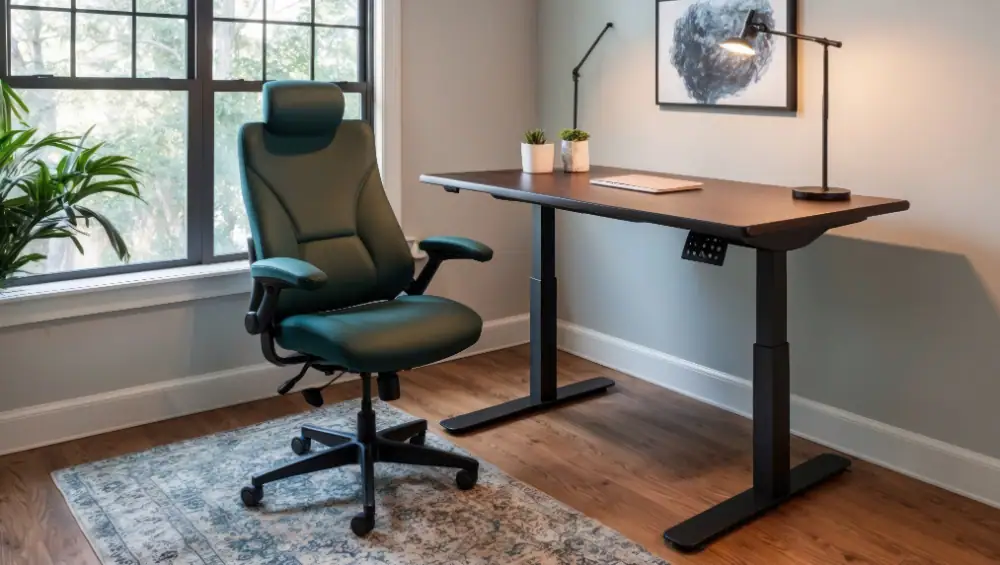
Working from home is here to stay — and so is the demand for healthy, ergonomic workspace setups. A quality standing desk can reduce fatigue, improve posture, and boost productivity. But with dozens of models on the market in 2025, choosing the right one gets tricky.
In this guide, you’ll find:
-
What features matter most in a standing desk
-
Top desk models for home offices in 2025
-
Setup & maintenance tips
-
Answers to common questions
Let’s dive in and find the best standing desk for your home office setup.
1. Why Use a Standing Desk?
Health & Productivity Benefits
-
Switching between sitting and standing helps reduce back pain and neck strain (several ergonomic studies support this).
-
Standing periodically boosts circulation, energy levels, and alertness.
-
Many users report improved productivity during shorter stand intervals.
Ergonomic Flexibility
A height-adjustable desk adapts to your changing needs: from typing sessions to meetings to creative tasks.
Long-Term Investment
A good standing desk lasts many years; choosing the right one upfront avoids regrets or replacements.
2. What to Look for When Buying a Standing Desk
Below are the key features you should prioritize. Use this as your checklist when reviewing desk models.
| Feature | Why It Matters | Ideal Spec / Recommendation |
|---|---|---|
| Height Range | You need the desk to reach comfortable heights both for sitting and standing | For average users: ~24–50 in (61–127 cm). If very tall or short, check extremes |
| Motor / Mechanism | Smooth, quiet operation is essential for daily use | Dual motors are more stable than single. Look for noise < 50 dB |
| Load Capacity | You’ll mount monitors, laptops, accessories | At least 100–150 kg (220–330 lbs) is ideal |
| Frame Stability | A wobbly desk is frustrating and possibly dangerous | 4‑leg frames or T/C‑leg with crossbars are better |
| Desktop Size & Material | You need adequate space for monitors, keyboard, mouse | Common sizes: 120×60 cm, 140×70 cm. Materials: MDF, bamboo, solid wood |
| Memory Presets & Controls | Saves you time adjusting | 3–4 memory height settings, child lock, digital display |
| Cable Management | Keeps workspace tidy | Built-in trays, grommets, cable channels |
| Warranty & Support | Critical for long-term user confidence | Aim for 5–15 year motor/frame warranties |
Tip: Always check lowest height (for shorter users) and maximum height (for taller users). Some desks claim wide ranges but are less stable at extremes.
Also, read user reviews from your region (for example, desks shipped to Pakistan) to catch shipping, support or quality issues.
3. Top Standing Desk Models for 2025 (Home Office Picks)
Here are desk models frequently recommended in expert reviews and buyer guides in 2025. (You should link to the product pages on your store if you carry them.)
| Use Case | Model | Highlights / Pros & Cons |
|---|---|---|
| All-Rounder / Best Overall | Vari Electric Standing Desk | Smooth dual-motor, easy assembly, sleek design |
| Heavy Use / Heavy Load | FlexiSpot E7 (or E7 Pro) | Strong frame, wide height range, proven performance |
| Compact / Small Spaces | Branch Duo Standing Desk | Sleek, compact, many accessory options |
| Budget Electric | Fezibo Electric Standing Desk | Affordable, basic but functional |
| Cable / Power Integration Focus | Autonomous SmartDesk 5 Pro | Smart cable management and integrated power features |
| Eco / Design Option | Fully Jarvis Bamboo | Natural wood top, good reviews |
| Premium / High End | Uplift V3 / Uplift V2 | Excellent stability, high customization, long warranties |
Example Desk Review (Template)
FlexiSpot E7
Height Range: ~22.8″ to 48.4″ (58–123 cm)
Max Load: ~355 lbs / 161 kg
Pros: Stable dual motors, quiet, wide desktop options, good warranty
Cons / Considerations: Higher price than entry models, some larger desktops may introduce slight wobble at max height
(Repeat similar mini‑reviews for the other desks in the table above.)
4. Comparison Table (User Quick View)
| Model | Height Range | Load Capacity | Desktop Size Options | Best For | Approx Price Range* |
|---|---|---|---|---|---|
| FlexiSpot E7 | 22.8″ – 48.4″ | ~355 lbs | 48×24, 55×28, 60×24, etc. | All‑purpose use | mid to premium |
| Vari Electric | 25″ – 50.5″ | ~200 lbs | 60×30, 72×30 | Easy setup & design | upper mid |
| Branch Duo | 28″ – 47.8″ | ~275 lbs | Compact sizes | Small rooms | mid |
| Fezibo Electric | 27.5″ – 46.9″ | ~176 lbs | 40×24 to 63×24 | Budget users | budget |
| Autonomous SmartDesk 5 Pro | – | ~330 lbs | multiple sizes | Cable integration | mid |
| Uplift V2 / V3 | ~24 – 50+ | high | wide range | Power users / custom | premium |
*Prices vary by region, shipping, and configuration—always check your local distributor or store.
5. Setup & Usage Tips
-
Alternate sitting & standing gradually: Start with 30 min standing / 60 min sitting, then adjust.
-
Keyboard & Monitor Placement: Elbows ~90°, monitor top at eye level.
-
Use anti-fatigue mats & good shoes: Reduces strain on legs, feet.
-
Cable slack & management: Leave extra cable length to avoid stress at extreme heights.
-
Use timer / standing reminders: Many desks or apps have reminders to switch positions.
-
Avoid high desk clutter: Keep heavier items centered to maintain balance.
6. Maintenance & Longevity
-
Tighten bolts / screws periodically (every 3–6 months).
-
Clean rails & tracks (dust can cause noise / friction).
-
Don’t exceed load limits.
-
If motors struggle, unplug and re-home (lower to lowest), then raise again.
-
Keep firmware / control panel software updated (if applicable).
7. Frequently Asked Questions (FAQ)
Q: Should I always stand or always sit?
A: No — alternation is key. Too much standing all day can strain joints. Aim for balance.
Q: Are manual (crank) standing desks still viable?
A: Yes — for lower budgets or lighter setups. But electric desks offer convenience and smoother transitions.
Q: What about desk converters (sit-stand risers)?
A: They’re good if you already have a strong, stable base desk. But full adjustable desks tend to offer better ergonomics over time.
Q: Can I use a monitor arm with a standing desk?
A: Yes and you should — it helps maintain proper viewing height as desk height changes.
Q: How high should my standing desk go?
A: Your keyboard should be about elbow height (forearms parallel to floor); monitor top should be just below eye level.
Lambock Team
Content Strategist — Lambock.com
Lambock – Elevate your workspace with thoughtfully designed calendars, planners, desk accessories, and productivity tools. We combine quality, style, and functionality to help you stay organized and inspired every day. Crafted for modern professionals who value both form and purpose.
- Productivity
- Device management
- School tech
- Office organisation
Share this article:
Facebook
LinkedIn
Twitter
Pinterest
WEEKLY INSIGHTS
The Focus & Storage Letter
One email per week. New product reviews, buying guides, and practical tips for distraction-free environments. No spam, ever.
Join 3,200+ readers · Unsubscribe anytime